
Flux Kontext Pro
Flux Kontext Pro is VidGen's balanced FLUX.1 Kontext Pro workflow for fast AI image editing and image-to-image generation. Choose it when you want to edit images with text, keep character consistency across variations, and move from quick concepts to polished visuals with faster iteration and lower cost than Max.
See Flux Kontext Pro Edit an Outfit While Preserving the Scene
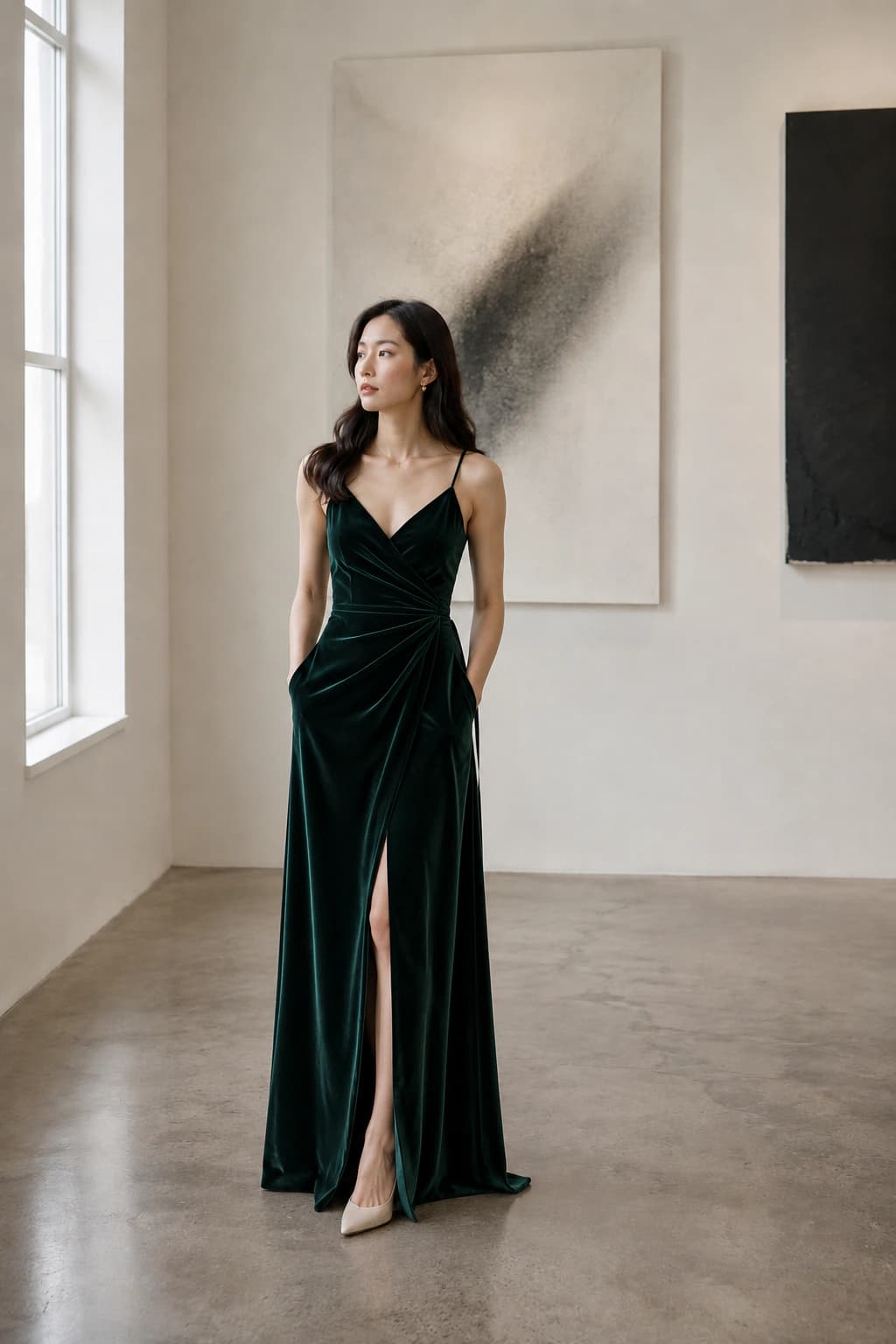
This example shows text-based image editing in Flux Kontext Pro: a gallery portrait, a precise outfit-change prompt, and an edited result that preserves the subject, pose, lighting, and background.
Creative Input
Change the woman's outfit into a deep emerald green velvet evening dress while preserving her face, pose, body proportions, hair, gallery background, soft window light, and realistic editorial photography style. Keep the edit seamless and natural, with believable fabric folds and shadows. Do not add readable text, logos, or watermarks.

Output Result
How to Use Flux Kontext Pro?
Step 1
Open Text to Image or Image to Image
Open Text to Image when you want to create from a prompt and select Flux Kontext Pro. Open Image to Image when you want Flux Kontext Pro to transform an existing visual with guided edits.
Step 2
Edit Images with Text or Start from a Prompt
Write a clear instruction for the subject, composition, lighting, and style, or upload a source image and explain exactly what should change, what should stay fixed, and what visual mood you want.
Step 3
Refine for Consistency and Style
Review the first output, then tighten character details, background treatment, and style cues until the final image feels consistent enough for campaign, product, or social use.
Common Questions
What is Flux Kontext Pro?
Flux Kontext Pro, also searched as FLUX.1 Kontext Pro, is an AI image editing and generation model that works well for both prompt-based creation and image-to-image editing. It is the balanced option in the Flux Kontext family when you want strong quality without the extra latency of Max.
How does Flux Kontext Pro compare to Flux Kontext Max?
Flux Kontext Pro is usually the better choice for faster iteration, lower-cost exploration, and everyday creative work. Flux Kontext Max is better when you need richer texture, stronger typography, and more final-delivery quality.
Can I edit an image with text in Flux Kontext Pro?
Yes. Flux Kontext Pro is a strong fit when you want to edit an image with text instructions instead of masking and repainting by hand. Upload a source image, describe the change clearly, and iterate until the scene matches your goal.
Is Flux Kontext Pro good for image-to-image AI workflows?
Yes. Flux Kontext Pro works especially well for image-to-image AI tasks where you already have a base photo, product shot, concept frame, or character reference and want to transform it with controlled edits.
Can Flux Kontext Pro keep character consistency?
It is a practical choice for character consistency AI workflows when you keep the subject description, camera framing, and styling cues stable across generations. It performs well for repeated brand characters, product visuals, and themed campaign variations.
Can I use Flux Kontext Pro for style transfer?
Yes. Flux Kontext Pro handles style transfer well when you describe the target look in plain language, such as editorial, cinematic, cyberpunk, minimalist product photography, or painterly illustration, while preserving the main structure of the original image.
Is Flux Kontext Pro free?
Flux Kontext Pro is not positioned as an unlimited free model, but VidGen gives new users free credits so you can test the workflow before committing to larger projects.
Where can I try the Flux Kontext playground?
You can use the Flux Kontext playground experience directly in VidGen by opening the Text to Image or Image to Image workflow and selecting Flux Kontext Pro as the model. That gives you a browser-based place to test prompts, edits, and variations.
What is Flux Kontext Pro pricing?
Flux Kontext Pro pricing depends on the platform you use. In VidGen, Pro follows the product's credit-based pricing model and usually costs less than Max, so it is the easier option for testing ideas and iterating quickly.
Generate Your First Image with Flux Kontext Pro
Use Flux Kontext Pro in VidGen for text-based image editing, image-to-image workflows, and fast visual exploration with free credits to start.