Pregnant AI Generator
Upload a portrait and use Pregnant AI Generator to create a natural maternity-style edit with adjustable belly size while keeping the subject and scene consistent.
Pregnant AI Generator
Upload a portrait and use Pregnant AI Generator to create a natural maternity-style edit with adjustable belly size while keeping the subject and scene consistent.
Pregnant AI generator for natural maternity edits
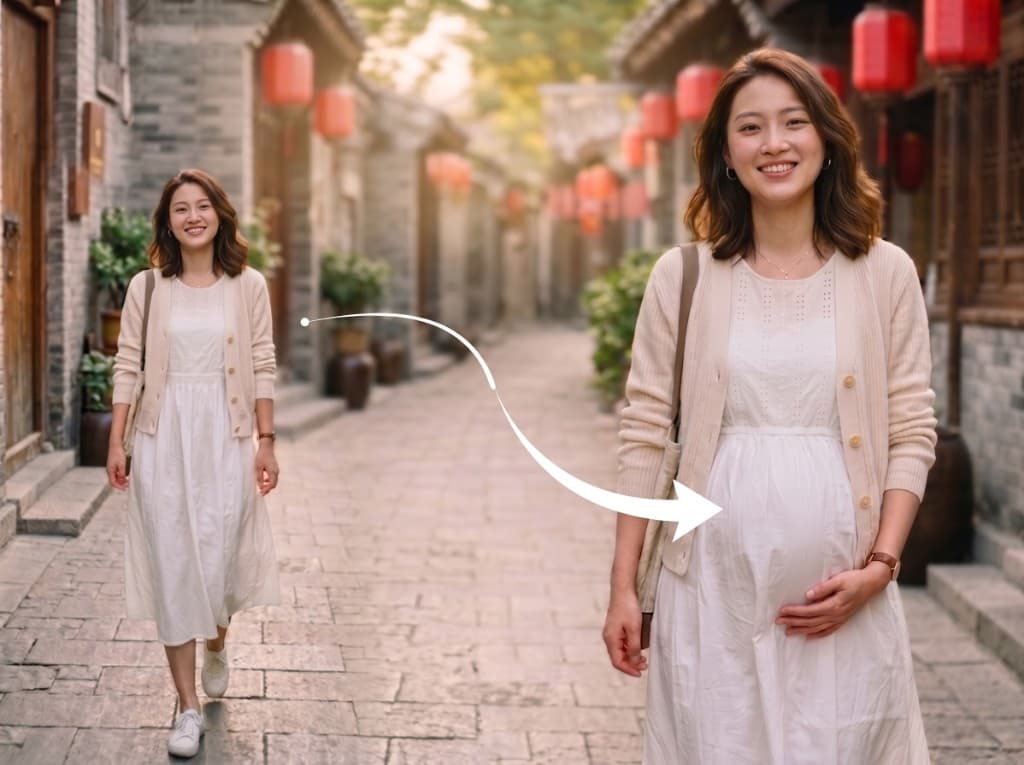
VidGen gives you a Pregnant AI generator that adds a realistic maternity belly to an existing portrait. It works well for creators who want a Pregnant AI filter, a quick pregnant belly AI generator workflow, or a gentle maternity-style edit without rebuilding the whole image from scratch.
See a Pregnant AI before and after example
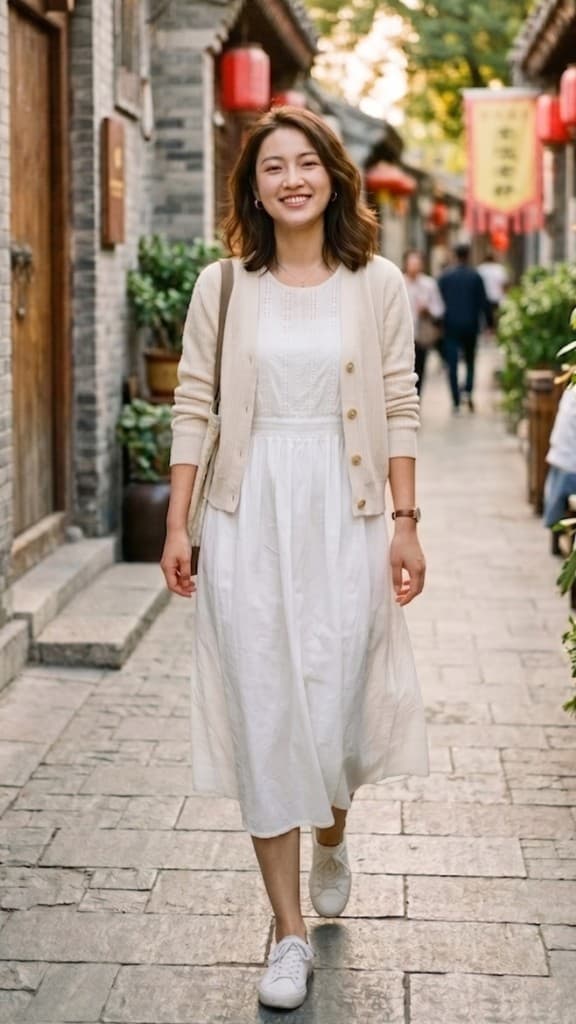
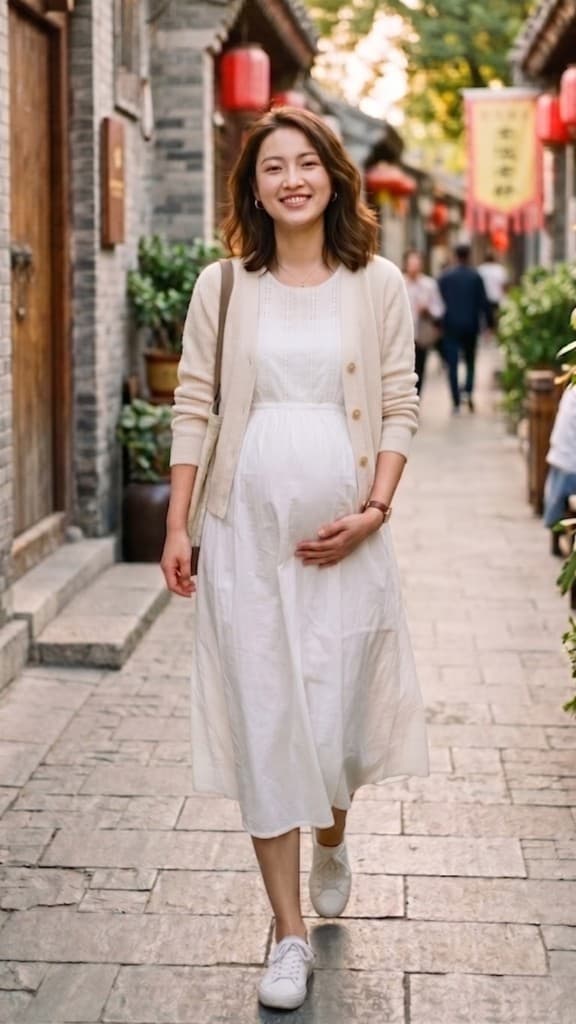
This example shows how Pregnant AI can add a natural pregnancy belly while keeping the pose, outfit, face, and overall scene consistent.
Before
After
How to use Pregnant AI generator online
Follow these three steps if you want a quick Pregnant AI filter or a natural pregnant belly edit on an existing photo.
Step 1 — Upload a clear portrait photo
Add a JPG, PNG, or WebP image up to 5 MB. Portraits with visible body shape and enough room around the torso usually produce the most natural maternity edit.
Step 2 — Choose the belly size you want
Pick a subtle, natural, or more visible pregnancy belly look. This setting helps the model create the style of pregnant AI edit that matches your photo.
Step 3 — Generate and download
Click Create and wait for the result. Open My Assets to compare versions, rerun if needed, and download your finished Pregnant AI image.
Explore more AI effects
Frequently Asked Questions
What is Pregnant AI?
Pregnant AI is an image effect that adds a natural-looking maternity belly to an existing portrait. Many users also search for pregnant ai generator, ai pregnant filter, or pregnant belly ai generator, but the workflow is the same: upload a portrait, choose the belly size, and generate the updated image.
Can I use this Pregnant AI filter on my own photo?
Yes. Upload your own portrait photo and VidGen will apply the Pregnant AI filter to that image while keeping the face, outfit, and background as consistent as possible.
Is this a free Pregnant AI generator?
New users receive starter credits, so you can try the Pregnant AI generator before upgrading. Extra usage depends on your remaining credits or plan.
What kind of images work best with Pregnant AI?
Clear portrait photos with good lighting and visible body shape usually work best. If the torso is heavily cropped or covered, the belly edit may look less natural.
Can I control how strong the maternity effect looks?
Yes. You can choose different belly sizes to create a subtle, natural, or more visible maternity-style result.
Does Pregnant AI change the whole image?
The goal is to add the maternity belly effect while preserving the person's face, pose, clothing, and scene details. Results can vary slightly based on the source image.
Do I need Photoshop or an app to make a pregnant edit?
No. You can use this Pregnant AI tool directly in your browser without installing Photoshop or a separate mobile app.
Can I try different versions of the Pregnant AI effect?
Yes. You can rerun the tool with a different belly size or source photo until the maternity edit matches the look you want.