
Seedream 5.0 Pro
Seedream 5.0 Pro is a design-aware AI image model for turning complex prompts into structured visuals. It can organize headings, labels, illustrations, and layout hierarchy for infographics, educational posters, product graphics, and other text-rich designs. In VidGen, create from text or upload up to 10 reference images to combine visual ideas, restyle content, or redesign a scene, with 1K and 2K output.
Build a Complete Birdwatching Infographic from One Prompt
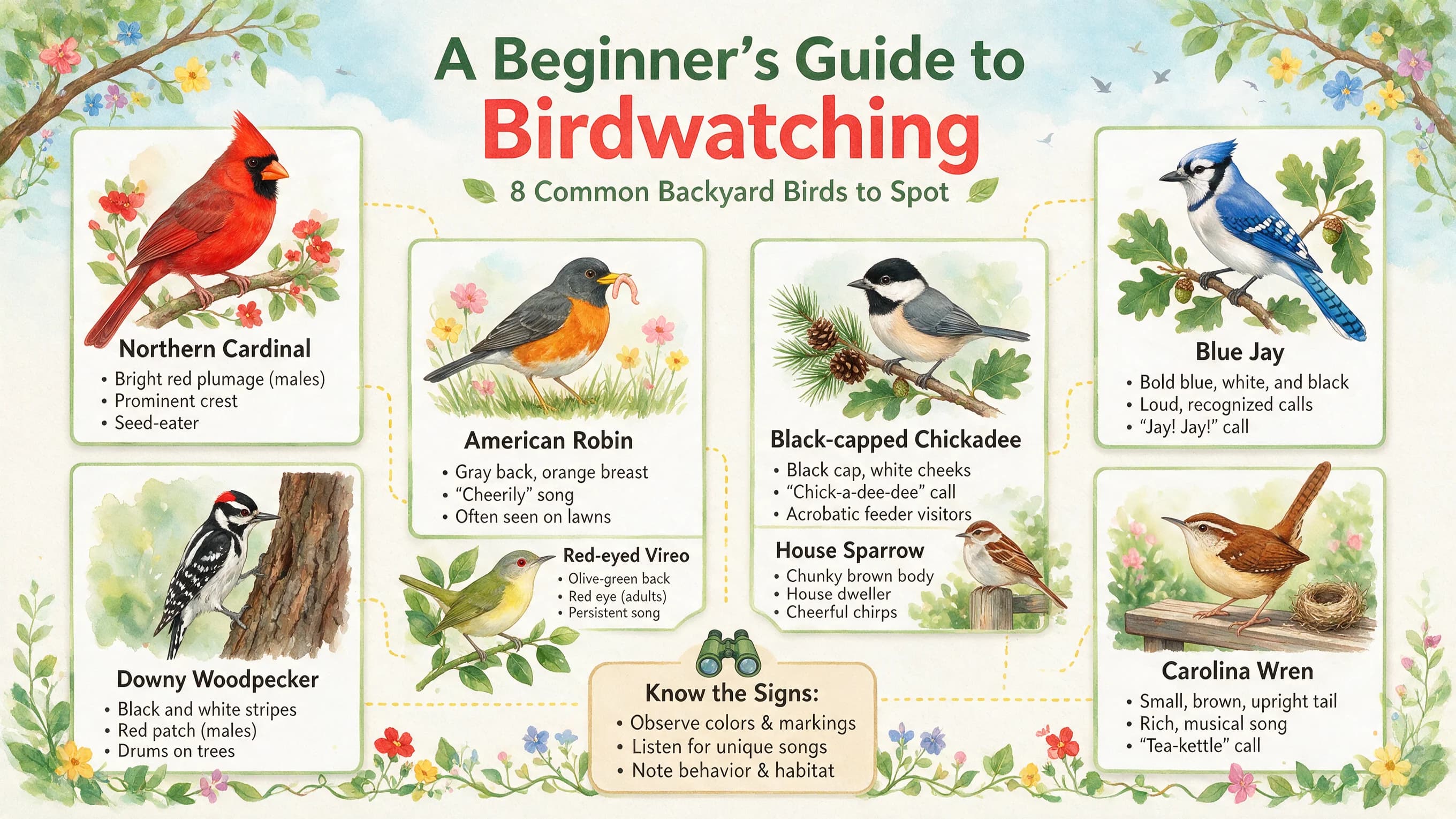
This example organizes a title, eight bird illustrations, species names, and identifying notes into a clear 16:9 grid. It shows how Seedream 5.0 Pro handles multi-element, text-rich, and structured prompts in one image.
Original Prompt
Generate a natural science infographic titled "A Beginner’s Guide to Birdwatching." Use a fresh color palette and a grid layout to showcase 8 common bird species. Each species should include a scientific illustration, its name, and key identifying features.
Generated Image
What Makes Seedream 5.0 Pro Stand Out
Design-Aware Layouts
Turn complex information into structured visuals with clear headings, labels, illustrations, and reading hierarchy.
Up to 10 Reference Images
Use separate references for the subject, style, layout, color, or material and describe the role of each image in your prompt.
Realistic Light and Materials
Create visuals that emphasize natural lighting, skin texture, fabric, glass, metal, and other detailed surfaces.
Multilingual Visuals
Use prompts and generate in-image text in widely used languages for localized posters, menus, notices, and infographics.
Best Uses for Seedream 5.0 Pro
- Educational infographics and knowledge posters
- Technical diagrams, blueprints, and product explainers
- E-commerce banners and product detail visuals
- UI concepts and website hero designs
- Storyboards and game interface concepts
- Multi-reference redesign and visual composition
- Photorealistic product, portrait, and architecture images
- Localized posters, menus, and campaign graphics
How to Use Seedream 5.0 Pro
Step 1
Define the Information Structure
Describe the purpose, title, main sections, labels, and reading order. For an infographic, list how many items to show and what information each item should include.
Step 2
Assign a Role to Each Reference
In Image to Image, upload up to 10 references and explain which image provides the subject, style, layout, color palette, or material.
Step 3
Choose the Format and Refine
Select an aspect ratio and 1K or 2K output, generate the first version, then refine the prompt or references to improve hierarchy, text, and visual emphasis.
Common Questions
What is Seedream 5.0 Pro?
Seedream 5.0 Pro is ByteDance's design-aware AI image model for generation and editing. It is built to interpret complex prompts, organize information, and create structured visuals rather than only producing a single attractive scene.
What can I create with Seedream 5.0 Pro?
It is a strong option to try for infographics, educational posters, technical diagrams, product graphics, UI concepts, storyboards, localized visuals, and photorealistic scenes with detailed lighting and materials.
How does image editing work in VidGen?
Open Image to Image, upload up to 10 references, and explain what each image should contribute. You can ask Seedream 5.0 Pro to combine visual ideas, change a style, translate text, retouch details, or redesign a scene with natural-language instructions.
Which resolutions and aspect ratios are available?
VidGen supports 1K and 2K output with 1:1, 4:3, 3:4, 16:9, 9:16, 2:3, and 3:2 aspect ratios.
How is Seedream 5.0 Pro different from Seedream 5.0 Lite?
Both models support image generation and reference-guided editing. Pro is positioned for structured design, information-dense layouts, realistic materials, and text-rich visuals. Lite is a general-purpose option with different input limits and resolution settings.
Does Seedream 5.0 Pro support multilingual text in images?
It can follow prompts and generate or transform in-image text in widely used languages. For names, factual labels, and important copy, review the final text before publishing.
Does VidGen support layer separation or lasso editing?
The full Seedream 5.0 Pro model is promoted with annotation-based editing and layer separation on some platforms. VidGen currently provides text-to-image and prompt-guided reference editing, but it does not return separate layers or include lasso and selection tools.
Is Seedream 5.0 Pro free?
Seedream 5.0 Pro is not an unlimited free model. New VidGen users receive free credits, so you can try it before purchasing more credits.
Explore Other AI Models on VidGen
Turn Complex Ideas into Structured Visuals
Create infographics, posters, product graphics, and multi-reference redesigns with Seedream 5.0 Pro. Upload up to 10 references, choose 1K or 2K output, and start with free VidGen credits.