AI Bald Filter
Upload a portrait photo to preview a realistic bald or shaved-head look with scalp hair removal, hairline and forehead blending, and natural skin tone.
AI Bald Filter
Upload a portrait photo to preview a realistic bald or shaved-head look with scalp hair removal, hairline and forehead blending, and natural skin tone.

AI bald filter for shaved-head portrait previews online
VidGen AI Bald Filter turns a portrait photo into a believable shaved-head preview for anyone asking how would I look bald online. Use it as a bald filter online, bald head filter, or shaved head filter with scalp hair removal, hairline and forehead blending, and natural skin-tone preservation.
See an AI bald filter before and after portrait example
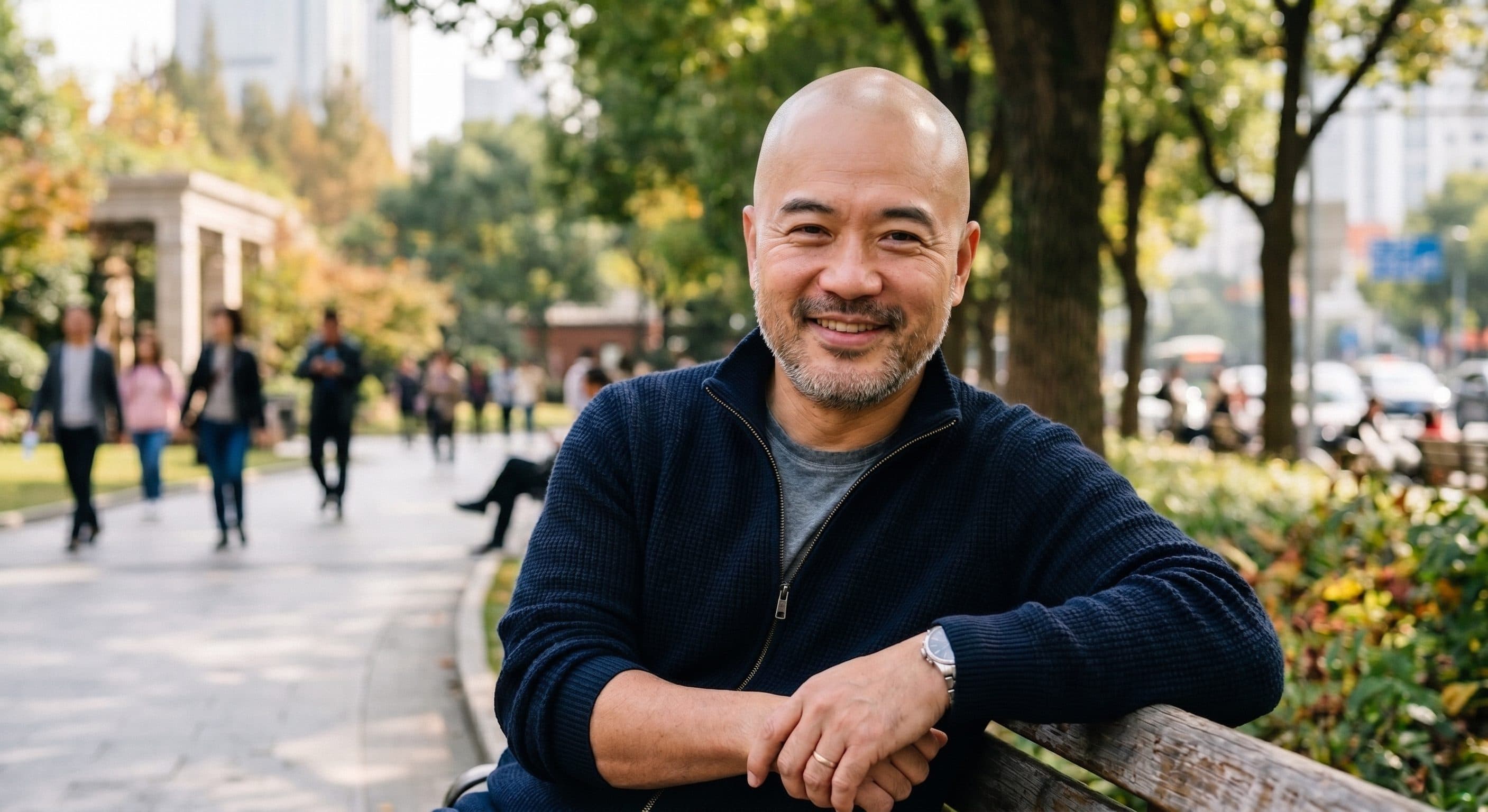
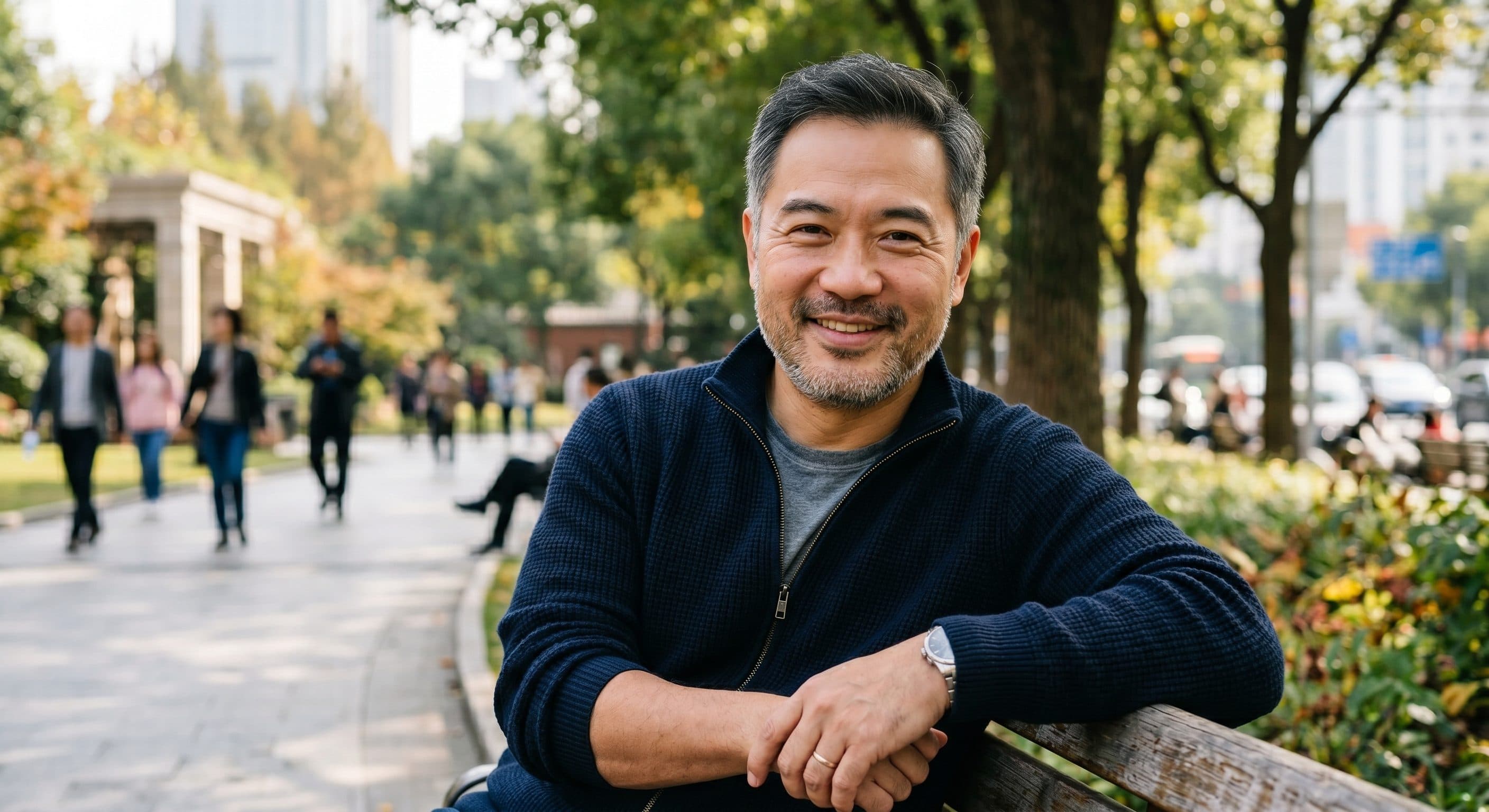
This before-and-after example shows a portrait photo changed into a realistic bald preview: scalp hair is removed, the hairline and forehead area are blended, and the natural skin tone stays consistent with the original image.
Before
After
How to create a shaved-head preview from a portrait photo
Follow these three steps for a still-image bald filter workflow that starts from your own portrait and creates a realistic shaved-head appearance edit.
Step 1 — Upload a clear portrait photo
Add a JPG, PNG, or WebP portrait photo up to 5 MB. Images with a visible hairline, forehead, scalp area, and top of head usually work best for a natural AI bald filter result.
Step 2 — Remove scalp hair with the bald filter AI edit
Submit your portrait and let the image effect remove scalp hair while keeping the same facial features, expression, hairline placement, skin tone, pose, lighting, and background. This still-image edit is the core bald AI filter step.
Step 3 — Review, rerun, and download
Open My Assets to compare results, rerun if needed, and download the finished image. Starter credits make it easy to test a free AI bald filter online workflow before upgrading.
Explore more AI image appearance effects

Frequently Asked Questions
What is AI bald filter?
AI bald filter is a portrait editing effect that removes scalp hair and creates a realistic shaved-head preview from the same photo. People often use a bald filter ai or bald ai filter tool to see the change without changing the rest of the portrait.
Can I use AI bald filter on my own photo?
Yes. Upload your own portrait photo and VidGen will generate a bald variation from that image instead of creating a completely different person from scratch.
Is there a free ai bald filter online to try?
Yes. New users get starter credits, so you can try a free ai bald filter online workflow before deciding whether you need more generations.
How would I look bald with this tool?
Upload a clear portrait and the tool will generate a shaved-head preview from your own face. It is designed for people asking how would I look bald or how will you look bald before making a real style change.
Is this an ai bald filter app or do I need Photoshop?
You can use it directly in your browser, so you do not need Photoshop. If you are searching for a what will i look like bald app or an ai bald filter app, this online workflow covers the same need.
Will bald filter ai change the face or background too much?
The goal is to remove scalp hair while keeping facial features, skin tone, pose, lighting, and background as consistent as possible. Results can still vary a little depending on the source image.
What kind of photo works best for a bald head filter result?
Clear portraits with the hairline, forehead, and top of the head visible usually work best. Heavy cropping, hats, or blocked hair can make the final edit look less natural.
Can I generate multiple bald versions of the same portrait?
Yes. You can rerun the same portrait, compare different shaved-head variations in My Assets, and keep the one that looks most believable to you.