AI Walking Video Generator
Turn one clear image with people, pets, or multiple visible subjects into a natural walking-style AI clip.
AI Walking Video Generator
Turn one clear image with people, pets, or multiple visible subjects into a natural walking-style AI clip.
AI walking video generator for photo animation
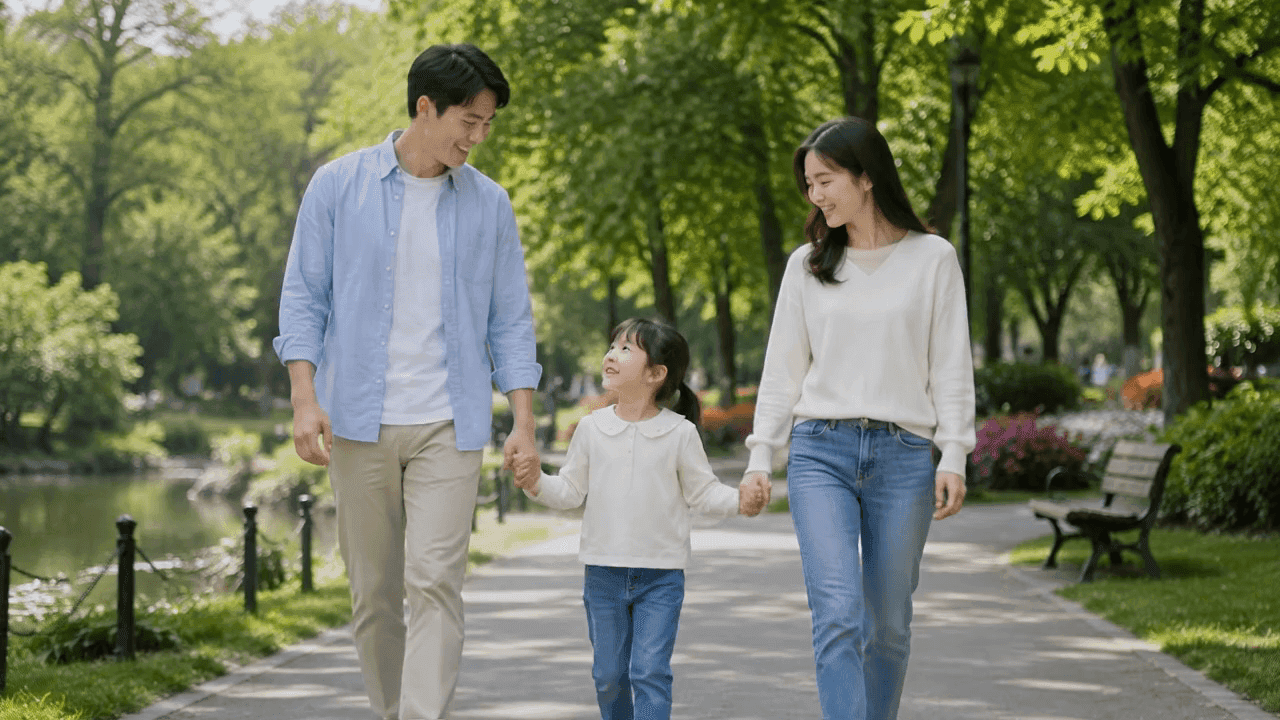
VidGen's AI walking video generator helps you turn one clear image into a natural walking-style video. Use it as an AI walking effect or walking AI video generator for people, pets, or multiple clearly visible subjects in one frame, then create a short clip while preserving each subject's identity, appearance, and spacing.
AI walking video example
This showcase demonstrates the one-image input and generated-video output format used by the AI Walking page. Think of it as a simple AI walk effect: start with a clear image of people, pets, or characters so the model has enough visible structure to animate.
Input image
Generated video
How to make a photo walk with AI
A strong AI walking video or AI walking animation starts with a clear image and visible body structure. These steps help you prepare people, pets, or multiple subjects so the walking motion stays natural.
Step 1 - Choose a clear subject image
Start with one image where the people, pets, or characters are easy to identify. Full-body subjects and visible posture work best for walking motion, while clean backgrounds help the AI keep each subject stable.
Step 2 - Use a readable pose
Choose an image where body posture, faces or fur patterns, clothing or accessories, and subject spacing are easy to read. Simple backgrounds and natural lighting help the AI keep posture and rhythm stable.
Step 3 - Generate, review, and refine
Upload the image, create the walking clip, then review body motion and subject stability. If the movement needs refinement, try a cleaner source image with a simpler pose.
Explore related AI video tools

Frequently Asked Questions
What is an AI walking video generator?
An AI walking video generator turns a still image into a short walking-style video. It can animate one person, multiple people, pets, or clearly visible characters for social clips, character previews, avatar animation, and creative motion concepts.
Can I make a photo walk with AI?
Yes. Upload one clear image and let the AI create natural walking motion while preserving each subject's face, fur pattern, outfit or accessories, spacing, and overall identity.
What photos work best for AI walking videos?
Images with full-body subjects, clear posture, visible limbs, readable faces or fur patterns, and minimal background clutter usually work best. If multiple subjects are present, clear spacing helps the AI animate them together more naturally.
Can I use pets or multiple people?
Yes. The workflow can animate clearly visible people, cats, dogs, pets, and multiple subjects in the same image. Results still depend on image clarity, body visibility, and how readable the subjects are in the first frame.
Is there an AI walking video generator free trial?
If you are searching for an AI walking video generator free trial, new users can use available credits to test the workflow before generating more walking videos. Extra generations depend on the credits in your account.
Can this create an AI walking effect or AI walk effect?
Yes. This page is tuned for a natural AI walking effect from one uploaded image. If you want a bouncy walk video effect, a clear full-body source image may produce a lightly rhythmic walk, but the workflow is designed for natural walking rather than exaggerated bouncing.
Is AI walking video the same as AI walking animation?
They overlap, but they are not identical. AI walking video usually means generating a short clip from a photo, while AI walking animation can also refer to character animation, game walk cycles, or animated movement systems.