
Seedance 2.5
Seedance 2.5 is ByteDance Seed's next-generation audio-video model for longer storytelling and more controllable creation. In VidGen, generate 4–30 second videos from text, a first frame, exact first and last frames, or as many as 50 image, video, and audio references. Choose 480p or 720p output, flexible aspect ratios, and synchronized audio for cinematic scenes, product videos, ads, story previews, and social content.
Seedance 2.5 Omni-Reference Dance Example
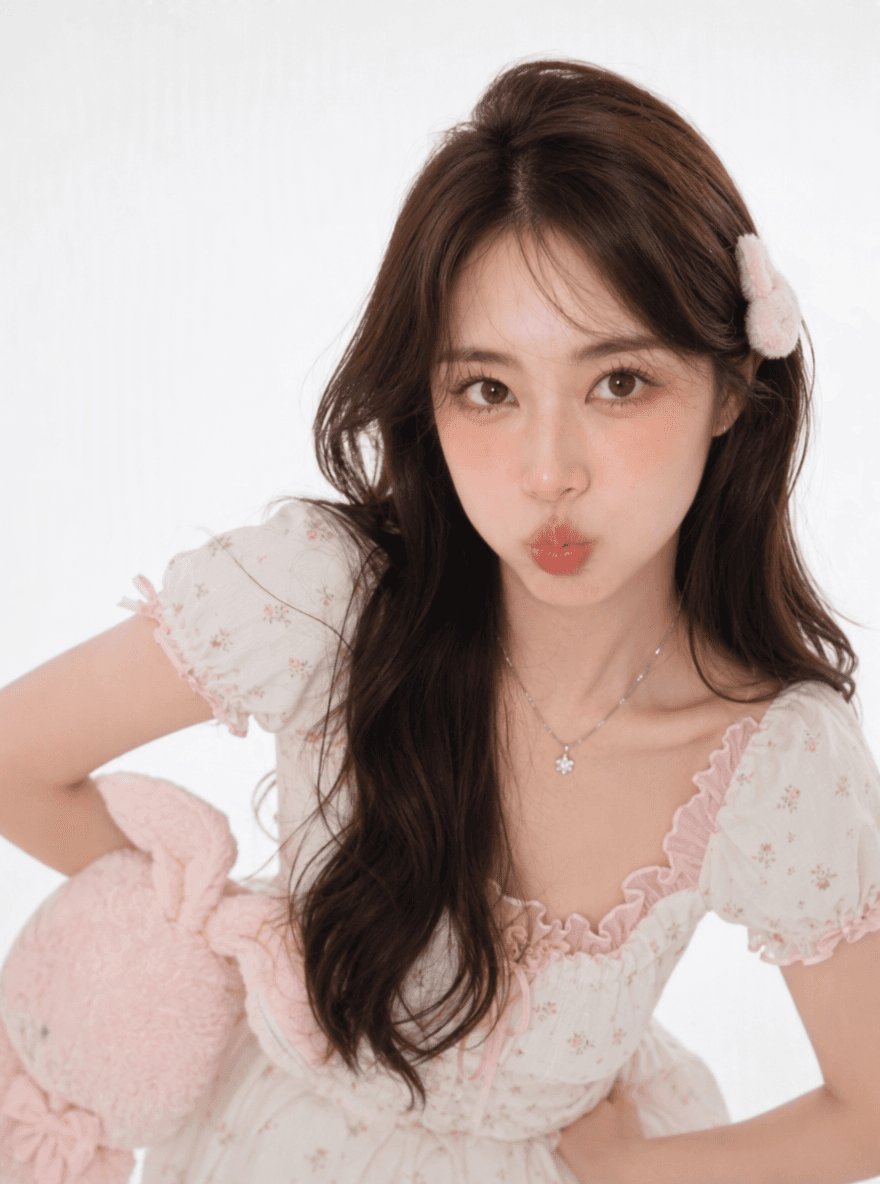
This real Seedance 2.5 example uses omni reference: a character image, a motion-reference video, and a short prompt. The model copies the dance from the video onto the person in the image and outputs a 7-second, 480p, 9:16 clip with generated audio.
Prompt and References
Imitate the person's movements and poses from the video, and generate dance motions for the person in the image.
Generated Video
Why Seedance 2.5 Stands Out
Up to 30 Seconds per Generation
Create a longer continuous sequence in one request, giving a scene more room for setup, development, camera movement, and a clear ending.
Four Ways to Start
Generate from text, a first frame, exact first and last frames, or an omni-reference set of images, videos, and audio.
Up to 50 Multimodal References
Guide characters, products, style, motion, and rhythm with as many as 30 images, 10 videos, and 10 audio clips in one reference-to-video request.
Synchronized Audio
Generate audio with the video, or provide reference audio when sound, pacing, and atmosphere are part of the creative direction.
Precise Output Controls
Choose 480p or 720p, any whole-second duration from 4 to 30 seconds, and adaptive, 16:9, 9:16, 1:1, 4:3, 3:4, or 21:9 framing.
Prompt-Directed Timing and Camera Work
Describe timed actions, shot size, camera movement, transitions, lighting, and sound cues in the prompt to guide a more structured sequence.
What You Can Create with Seedance 2.5
- Narrative shorts and cinematic concept scenes that need more time for a beginning, development, and ending.
- Product launches, e-commerce videos, and social ads guided by product images, brand references, and camera examples.
- Character-led stories and virtual creator content that use multiple visual and audio references for consistency.
- Music-driven clips, trailers, and atmospheric sequences where generated or reference audio shapes the pacing.
- Storyboards and previsualization for camera movement, performance direction, scene transitions, and production planning.
- Educational demonstrations and visual explanations that turn a written idea or reference set into a continuous video.
How to Use Seedance 2.5
Step 1
Choose the Right Workflow
Start with text, a first frame, exact first and last frames, or omni reference depending on how tightly the opening, ending, subjects, motion, and audio must be controlled.
Step 2
Write the Prompt and Add References
Describe the scene as a sequence of actions and camera decisions. In omni-reference mode, add the images, videos, and audio that define characters, products, style, movement, or rhythm.
Step 3
Set the Output and Generate
Choose 480p or 720p, a 4–30 second duration, an aspect ratio, and whether to generate audio, review the credit quote, then create the video.
Seedance 2.5 Questions
What is Seedance 2.5?
Seedance 2.5 is a ByteDance Seed audio-video generation model built for longer storytelling, multimodal references, and more controllable video creation. VidGen provides text-to-video, image-to-video, and reference-to-video workflows for the model.
What improved in Seedance 2.5 compared with Seedance 2.0?
ByteDance highlights longer 30-second storytelling, a much larger multimodal reference capacity, stronger continuity, timestamp-level direction, and more professional editing capabilities. VidGen currently exposes the generation subset described on this page.
Which Seedance 2.5 input modes are available in VidGen?
Choose text to video, first-frame image to video, first-and-last-frame video, or omni reference. Frame modes and omni reference are separate workflows and cannot be combined in one request.
How long and what resolution can Seedance 2.5 generate in VidGen?
VidGen supports any whole-second duration from 4 to 30 seconds at 480p or 720p. Available aspect ratios are adaptive, 16:9, 9:16, 1:1, 4:3, 3:4, and 21:9.
How many reference files can Seedance 2.5 use?
An omni-reference request can include up to 50 files: 30 images, 10 videos, and 10 audio clips. Reference videos and reference audio can each total up to 30 seconds.
Can Seedance 2.5 generate audio?
Yes. VidGen exposes synchronized audio generation, and omni-reference mode can also accept audio clips to guide rhythm, sound, or atmosphere.
How should I write Seedance 2.5 prompts?
Describe the subject, setting, action order, camera movement, shot size, lighting, visual style, and sound cues. For a longer scene, add time ranges or a clear sequence of events instead of listing unrelated visual details.
Does Seedance 2.5 support 4K in VidGen?
No. Some third-party pages advertise 4K as a broader model capability, but the current VidGen integration exposes the provider's available 480p and 720p API options.
Is Seedance 2.5 free, and how is pricing calculated?
Seedance 2.5 uses VidGen credits. The required credits depend on duration, resolution, and whether the request includes reference video. VidGen shows the current quote before generation.
Explore Other AI Models on VidGen
Create with Seedance 2.5
Turn a prompt, key frames, or a complete multimodal reference set into a longer, more controllable AI video with Seedance 2.5 in VidGen.