
Seedance 1.0 Pro Fast
Seedance 1.0 Pro Fast is the fast image-to-video workflow in the Seedance 1.0 AI family on VidGen. It is built for creators who want to animate one still frame into a short, polished clip without dealing with a heavy setup. Upload one clear image, describe the motion, and choose a simple duration and resolution combination. If you are searching for Seedance 1.0, Seedance 1.0 AI, or Seedance 1.0 Pro, this page covers the Pro Fast variant, which fits concept animation, product teasers, character shots, and social clips when you want a quick turnaround with up to 1080p output.
See How Seedance 1.0 Pro Fast Animates One Image
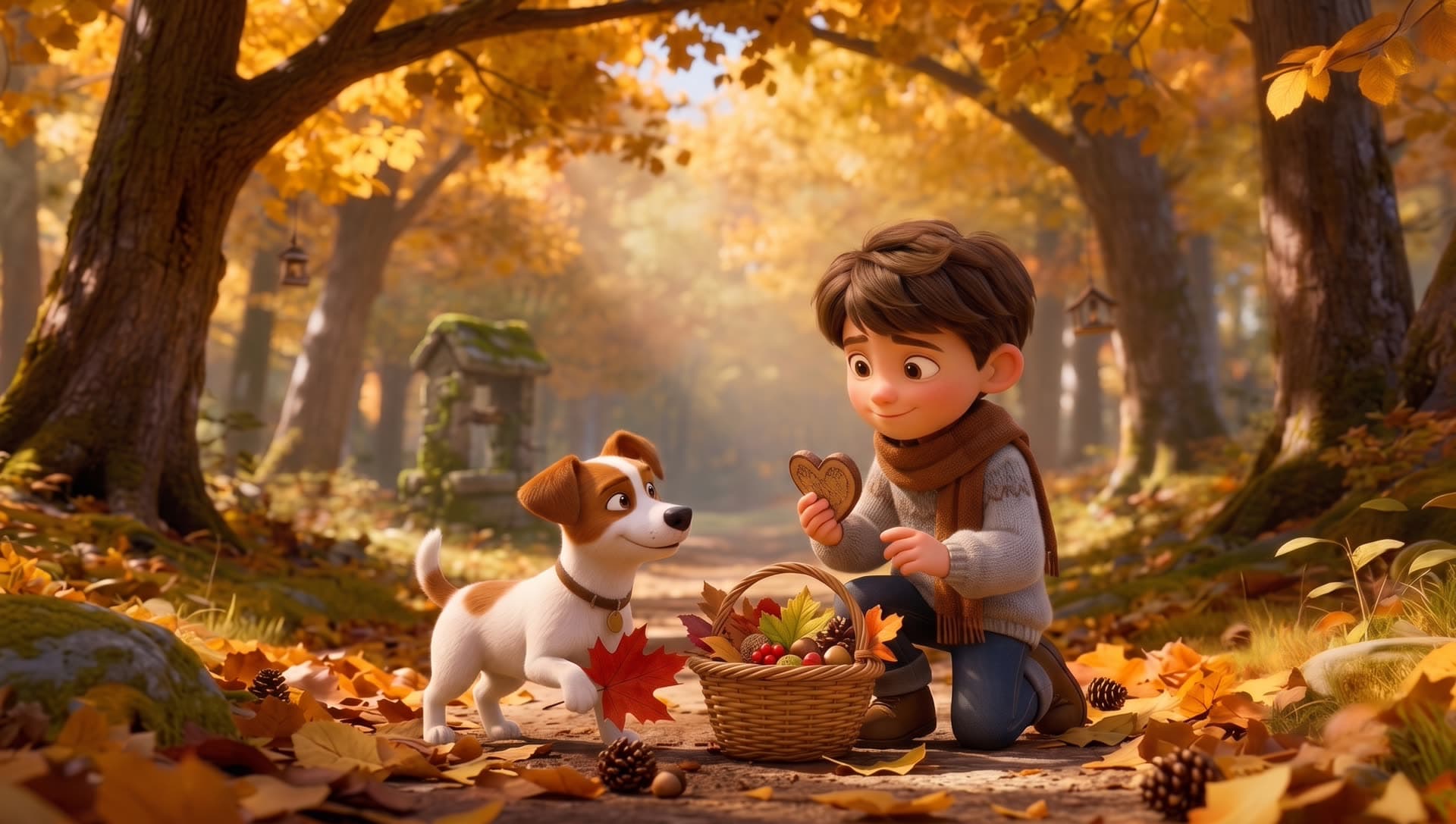
This demo uses one wide autumn-forest reference still, a detailed motion prompt, and a 5-second Seedance image-to-video clip with warm light, gentle motion, and Pixar-inspired character appeal.
Creative Input
A warm, healing 5-second animated short set in a magical autumn forest. A little boy kneels on a forest path and gently offers a heart-shaped cookie to a puppy. The puppy looks up happily, wagging its tail and lifting one paw slightly. Soft golden sunlight filters through the treetops as a few leaves drift down. The camera slowly pushes in with a cinematic feel. The overall mood is warm and cozy, motion is natural and gentle, expressions are lively, in a Pixar-like style.
Output Result
How to Use Seedance 1.0 Pro Fast?
Step 1
Upload One Strong Reference Image
Start with a clear still image that already captures the subject, composition, and lighting you want to preserve in motion.
Step 2
Write a Motion Prompt
Describe how the subject should move, what the camera should do, and what atmosphere or pacing you want in the final clip.
Step 3
Choose Duration and Resolution
Pick 5s or 10s output and select 720p or 1080p based on whether you are testing ideas quickly or preparing a cleaner export.
Step 4
Generate and Refine
Start the job, review the motion result, and adjust the image or prompt if you want a different rhythm, camera feel, or stronger visual emphasis.
Common Questions
What is Seedance 1.0 Pro Fast?
Seedance 1.0 Pro Fast is an AI image to video model from ByteDance. In VidGen, it is used to turn one still image and one motion prompt into a short generated video clip.
How do I use Seedance 1.0 Pro Fast in VidGen?
Upload one reference image, write a prompt that explains the motion and camera behavior you want, then choose the duration and resolution before starting the generation.
Do I need both an image and a prompt?
Yes. The image gives Seedance 1.0 Pro Fast a visual starting point, and the prompt tells it how the subject, camera, and atmosphere should move.
What settings can I control in Seedance 1.0 Pro Fast?
In VidGen, you can choose between 5-second or 10-second output and 720p or 1080p resolution. These simple settings make it easy to balance speed, cost, and final quality.
Is Seedance 1.0 Pro Fast good for image to video?
Yes. It is especially useful when you already have a strong still frame and want a fast image to video workflow for short promos, product shots, character scenes, or social-first clips.
What kind of Seedance prompts work best?
The best prompts describe subject motion, camera movement, pacing, and atmosphere clearly. Specific instructions like slow push-in, fabric moving in wind, soft golden-hour light, or subtle head turn usually work better than generic requests.
How is Seedance 1.0 Pro Fast different from Hailuo 2.3?
Both are image to video models, but Seedance 1.0 Pro Fast keeps the workflow simpler with 5s or 10s duration and 720p or 1080p resolution. Hailuo 2.3 offers Standard and Pro tiers plus a different set of duration and resolution combinations.
How is Seedance 1.0 Pro Fast different from Veo 3.1 or Kling 3.0?
Seedance 1.0 Pro Fast is focused on fast image to video generation from one still frame. Veo 3.1 and Kling 3.0 cover broader video workflows, including text to video and more advanced control paths.
What is Seedance 1.0 Pro Fast pricing in VidGen?
Seedance 1.0 Pro Fast uses VidGen's credit-based pricing model. The total cost depends on the duration and resolution you choose, so shorter or lower-resolution settings are useful for testing while higher settings are better for final output.
Explore Other AI Models on VidGen
Animate Your Image with Seedance 1.0 Pro Fast
Upload one still image, write a motion prompt, and use Seedance 1.0 Pro Fast to create a fast image to video result in VidGen.