
AI Video
What Is a Digital Human? How AI Avatars Work and How to Create One
•
12 min read
VidGen: Your All-in-One AI Creative Suite
Create videos, images, and more from one workspace.
- Text to video and image to video
- AI image generation and editing
- Start free, no credit card needed
A digital human is a software-created representation of a person that can look, move, speak, or interact in a human-like way. Some digital humans are prerecorded AI presenters. Others are real-time conversational agents or fully rigged 3D characters. The term describes a broad category, not one single technology.
That distinction matters. Someone searching for a digital human generator may want to animate a portrait for a product video, synchronize new speech with an existing clip, build a customer-service avatar, or create a character for a game. Those goals need different tools.
For creators, the most useful question is often simpler: what material do you already have, and what kind of video do you want to make?
A practical rule runs through this guide: preserve the parts that already work and generate only what is missing. That principle makes it easier to choose between animating a portrait, synchronizing an existing performance, and creating a new reference-guided scene.
An AI avatar can therefore be one type of digital human. A chatbot can power a digital human, but a text-only chatbot is not itself a digital human. A talking portrait can qualify as a digital human video even though it is not a reusable 3D character or a live agent.
These methods can produce related outcomes, but they are not interchangeable. AI Avatar uses a portrait as the visual source and generates its performance. Lip Sync AI keeps the motion, framing, and performance of an existing video while changing its speech track. Motion Control transfers body movement and performance timing from a reference video to a character image. Broader reference generation creates a new video, so the model has more freedom to interpret identity, movement, and scene details.
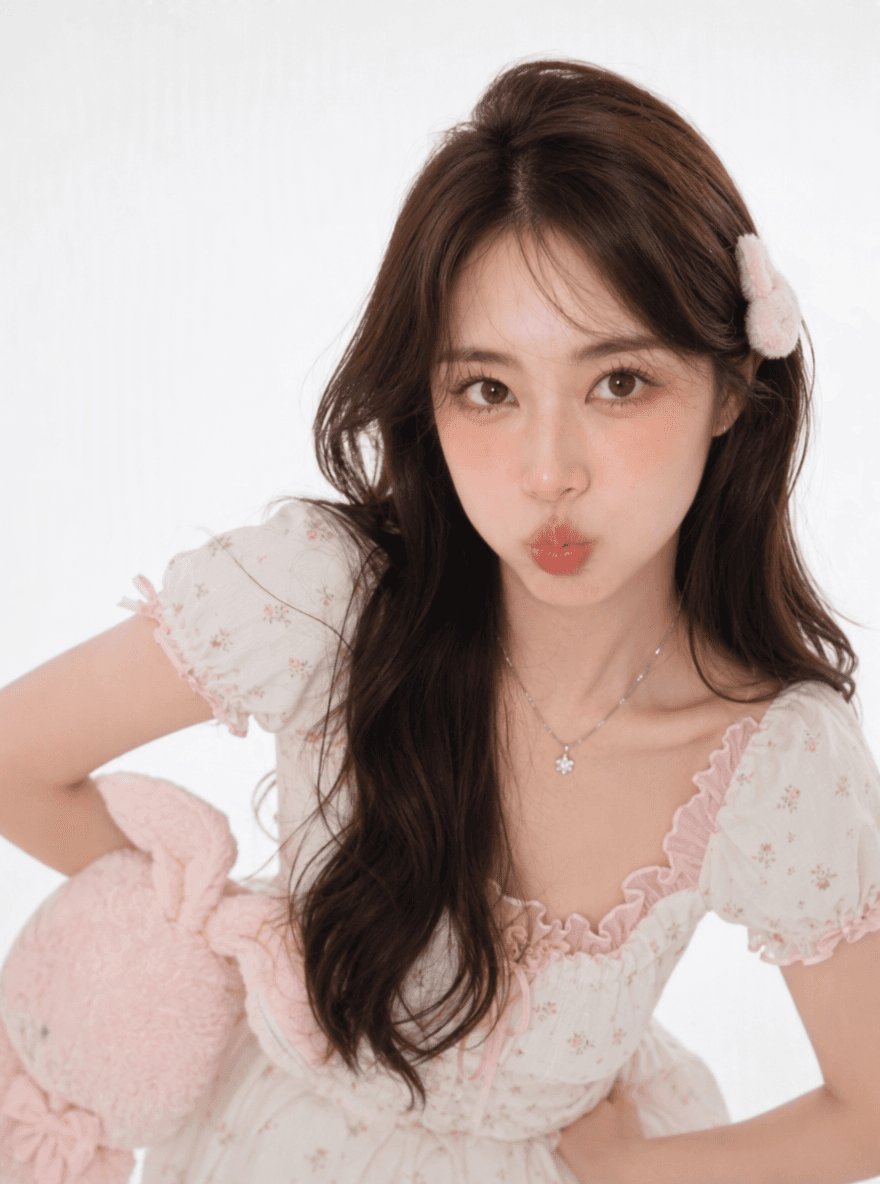
 Generated AI Avatar result:
 Motion reference:
Generated result:
Motion reference:
Generated result:
What Is a Digital Human?
The most useful way to recognize a digital human is not by how realistic it looks, but by which parts of its identity or performance are digitally created and controlled. The visual identity may be photorealistic, stylized, animated, or three-dimensional. The performance may be driven by recorded audio, a typed script, motion reference, an AI model, or a live conversation. This is why “digital human,” “AI avatar,” “virtual human,” and “digital person” are often used interchangeably even though they do not always describe the same product. A practical boundary is: when software creates, animates, or controls a human-like identity or performance, the result belongs to the digital human category. AI is now common in these workflows, but it is not the only possible foundation. A traditional 3D character driven by motion capture can also be a digital human. An AI digital human usually adds generative capabilities such as speech creation, facial animation, language understanding, or reference-based video generation.How Digital Human Technology Works
Digital human technology is easier to understand when it is divided into layers. Not every product includes every layer.1. Visual identity
The character needs a visible form. It might begin with a portrait, recorded footage, a designed 2D avatar, or a fully modeled 3D character. Some systems preserve a real person’s identity, while others create a fictional presenter.2. Voice and audio
The digital human may be driven by uploaded speech, text-to-speech, a cloned voice, or live microphone input. For prerecorded content, the audio usually defines the timing of the performance.3. Facial animation and lip synchronization
The system maps speech sounds to mouth shapes, facial expressions, eye movement, and head motion. This is the layer that turns a static portrait into a talking AI Avatar or uses Lip Sync AI to align replacement audio with an existing speaker video.4. Motion and scene generation
Some reference-driven Motion Control workflows go beyond the face by transferring body movement, poses, and performance timing from a reference video to a character image. Broader reference generation can also influence camera movement, visual style, and composition.5. Intelligence and interaction
This layer is optional. A conversational digital human chatbot may connect speech recognition, a language model, business knowledge, and text-to-speech so it can answer in real time. A prerecorded AI presenter does not need this layer because it performs content prepared in advance. The market reflects this range. MetaHuman focuses on creating and animating photorealistic 3D characters, while NVIDIA ACE provides developer technologies spanning speech, intelligence, animation, and rendering. Tencent Cloud AI Digital Human covers both synthesized presenter videos and real-time interaction. These are all described as digital human technology, but they solve different problems. These five layers explain what a digital human can be made of. The three categories below explain how products combine and deliver those layers.Three Main Types of Digital Humans
| Type | How it works | Common uses | Typical output |
|---|---|---|---|
| Prerecorded AI presenter | A portrait, avatar, script, or audio drives a generated performance | Marketing, training, product explainers, social video | Downloadable video |
| Conversational digital human | Speech recognition and an AI or scripted knowledge system produce live responses | Customer service, guidance, kiosks, virtual assistants | Real-time interactive experience |
| 3D digital character | A rigged 3D model is animated and rendered in an engine | Games, virtual production, simulations, immersive experiences | Real-time or rendered 3D character |
Prerecorded AI presenters
This is the most accessible category for everyday video creation. A creator supplies a face, voice, script, or existing clip and receives a video that can be edited, published, or reused. It does not need to listen or respond in real time.Conversational digital humans
A digital human chatbot adds a visual and spoken interface to conversational AI. Some digital human platforms position these characters as interactive agents that can be connected to knowledge and deployed in digital environments. This category usually requires live speech processing, orchestration, and integration with other systems. A complete digital human platform may therefore include avatar design, conversational intelligence, deployment tools, analytics, and connections to business data—not only video generation.Real-time 3D characters
These characters are built for worlds in which camera angle, lighting, body position, and environment may change continuously. They generally require character rigs, animation pipelines, rendering technology, and more development work than a browser-based digital human video generator.Digital Human vs AI Avatar vs Chatbot
The terms overlap, but a practical comparison helps:| Term | What it usually emphasizes | Does it have to talk? | Does it have to respond live? |
|---|---|---|---|
| Digital human | The broad human-like digital experience | No | No |
| AI avatar | A generated or AI-animated visual identity | Often, but not always | No |
| Talking avatar | Speech-driven facial performance | Yes | No |
| Digital human chatbot | A visible conversational agent | Yes | Usually |
| 3D digital human | A modeled and rigged character | No | No |
What Are Digital Humans Used For?
When a portrait is enough: marketing and training
A digital spokesperson can introduce a feature, explain an offer, deliver a course opening, or present internal training material. When the message and audio are ready but no recorded performance exists, a portrait-based AI presenter is often the most direct method.When the performance should be preserved: localization and reuse
If a team already has a strong presenter video, regenerating the whole scene may remove useful body language, framing, and timing. Replacing the audio and synchronizing the visible speaker is usually a better fit for dubbing, alternate dialogue, and localized versions.When the performance needs to change: social and character scenes
Reference generation is useful when the goal is not merely to make someone speak, but to create a new action, camera treatment, or environment around a human or character. This can support short-form storytelling, recurring fictional hosts, stylized campaigns, and character-led social content.When the project is not a prerecorded video
Customer-service agents, virtual guides, game characters, and simulated participants may also be digital humans, but they require a different category of product. Live assistants depend on conversational infrastructure, while real-time 3D characters depend on character rigs, animation systems, and rendering engines.Choose the Right VidGen Digital Human Creation Method
VidGen focuses on creating digital human videos. The right tool depends on your starting asset and the degree of control you need. The guiding principle is to keep what is already useful and generate only the missing layer:| What you already have | What you want to create | Best VidGen method |
|---|---|---|
| A portrait and a finished audio track | A talking photo, talking head, or AI spokesperson clip | Create it with AI Avatar |
| A video of a person and a different audio track | A re-voiced or dubbed version with synchronized mouth movement | Use Lip Sync AI |
| A character image and a motion reference video | A new performance that follows the reference movement and timing | Transfer movement with Motion Control |
| Reference images, video, or audio | A new scene, action, performance, or camera treatment guided by those references | Generate with Image to Video |
Example 1: Create a Talking Digital Human from a Portrait
Use this route when you have a clear portrait and a finished voice track. Input: one portrait and a finished speech recording. Method: generate the missing facial performance from the audio.- Open the VidGen AI Avatar generator.
- Upload a front-facing portrait in a supported image format.
- Upload the WAV or MP3 speech you want the person to deliver.
- Describe the intended performance, including expression, pacing, or head movement.
- Choose a resolution, generate the clip, and review the facial movement before publishing.
Generated AI Avatar result:
Example 2: Apply New Speech to an Existing Video
Choose Lip Sync AI when the body movement, framing, and performance already exist and only the spoken audio needs to change. Input: an existing presenter video and a replacement audio track. Method: preserve the recorded performance and regenerate the mouth movement.- Open VidGen Lip Sync AI.
- Upload an MP4 or MOV video with a clearly visible speaker.
- Upload the replacement MP3 or WAV audio.
- Generate the synchronized version and inspect difficult sounds, fast passages, and side-profile moments.
Example 3: Generate a New Video from Reference Media
Reference generation is the most flexible option when you want a new performance rather than a preserved talking-head shot. Depending on the selected model, reference media can guide the character, motion, visual style, composition, pacing, or performance style. Input: a character image and a motion reference video. Method: generate a new performance that uses each reference for a clearly assigned role.- Open VidGen Image to Video.
- Select a model and mode that support the reference inputs you need.
- Add the relevant image, video, or audio references.
- Write a prompt that clearly assigns each reference a role—for example, use the person from an image and the movement from a video.
- Generate and review identity consistency, motion, scene continuity, and framing.
Motion reference:
Generated result:
Tips for Better Digital Human Videos
Use a clear, rights-cleared source
Choose material you own or have permission to use. Avoid heavily obscured faces, extreme blur, or source media that makes the intended person difficult to identify.Start with clean audio
Background noise, clipping, and overlapping speakers can make speech-driven animation harder. Clean speech with natural pacing is a better starting point for both AI Avatar and Lip Sync AI.Generate only what is missing
If the recorded movement and framing already work, keep them and use lip sync. If only a portrait exists, generate the speaking performance with AI Avatar. Use reference generation when the project genuinely needs a new movement, camera angle, or environment.Write concrete motion instructions
For a generated scene, describe what the person does, how the camera moves, and what should remain consistent. “The presenter speaks naturally” is useful for a talking portrait; “use the movement from the reference video while preserving the person from the reference image” is more suitable for reference generation.Review before publishing
Check the mouth, teeth, eyes, hands, identity, audio timing, and abrupt transitions. AI-generated output can vary, and a second generation with a clearer source or prompt may improve the result.Responsible Use of Digital Human Technology
Digital human technology makes it easier to produce convincing human-like media, which also makes responsible use essential.- Obtain permission before using another person’s face, voice, or performance.
- Do not present synthetic media as an authentic recording when that could mislead viewers.
- Follow the applicable rules for advertising, political content, impersonation, privacy, and intellectual property.
- Label or explain AI-generated content when the audience or distribution platform expects disclosure.
- Keep source files and approvals organized when producing work for clients or teams.
Frequently Asked Questions
What does “digital human” mean?
Digital human is an umbrella label for human-like identities or performances created and controlled through software. The term alone does not tell you whether the result is a prerecorded video, a live agent, or a 3D character.Is a digital human the same as an AI avatar?
Not exactly. AI avatar usually emphasizes the visible identity or generated presenter. Digital human is the broader term and can also include speech, behavior, conversation, and real-time 3D rendering.Can every digital human chat in real time?
No. Many digital humans are prerecorded videos. Real-time conversation requires additional systems such as speech recognition, a language or knowledge layer, response generation, voice synthesis, and live animation.How do I create a digital human avatar?
If you have a portrait and audio, upload them to AI Avatar, add a performance description, and generate a talking video. If you already have a video, use Lip Sync AI instead.What is the difference between AI Avatar and Lip Sync AI?
AI Avatar starts from a static portrait and creates a talking performance. Lip Sync AI starts from an existing video and aligns new audio with the visible speaker.When should I use reference video generation?
Use it when you want a new action, shot, or scene guided by one or more references. It is useful for transferring movement or preserving visual direction, but it is not the same as exact lip synchronization.Do I need 3D modeling to create a digital human video?
No. Browser-based AI Avatar and Lip Sync tools can create digital human videos from ordinary images, audio, and video. 3D modeling is mainly needed when the goal is a rigged character for a game, simulation, or real-time rendered environment.Create the Digital Human Video That Fits Your Starting Point
There is no single best digital human tool for every project. The most efficient choice depends on what you already have:- Start with a portrait: create a talking digital human with AI Avatar.
- Start with an existing clip: synchronize new speech with Lip Sync AI.
- Start with a character image and a motion reference video: transfer the performance with Motion Control.
- Start with reference media and a new scene idea: explore reference-driven Image to Video.